
Nissan Qashqai Owners Manual | 2025
7.25.2. ELA Activation/Deactivation
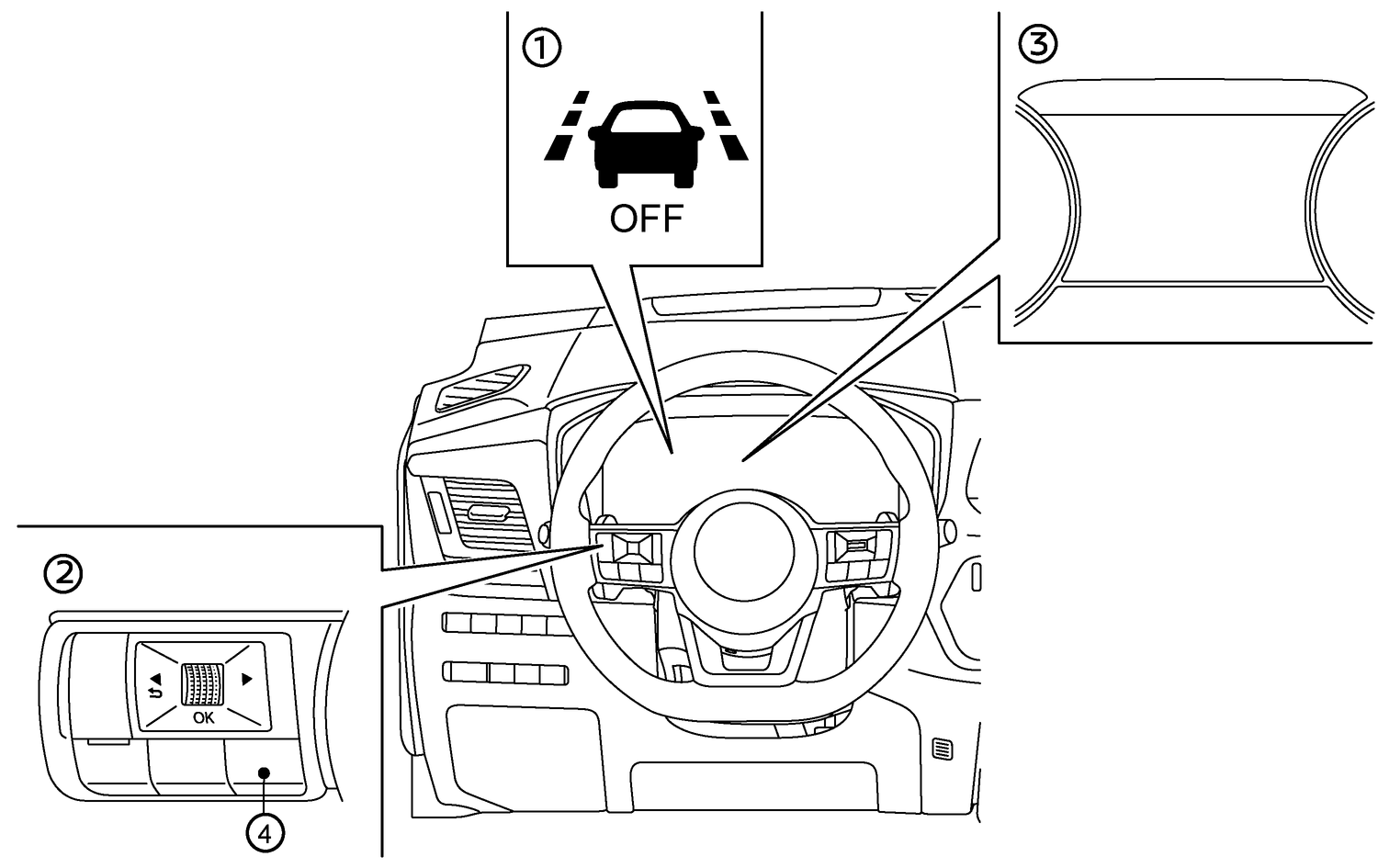
- (1) ELA system OFF warning light (on the instrument panel)
- (2) Steering wheel mounted controls (left side)
- (3) Vehicle information display
- (4) Shortcut menu button
Perform either of the following steps to enable or disable the ELA system
Press short cut menu button (4) on steering switch to display [Shortcut Menu].
Select [Custom Mode Setup] and push the scroll dial.
Select [Emergency Lane] or [Advanced Lane] (where fitted) and push the scroll dial to turn the system on or off.
Or
Push the

 button until [Settings] appears in the vehicle information display and then push the scroll dial. Use the scroll dial to select [Driver Assistance]. Then push the scroll dial.
Select [Lane Assist] and push the scroll dial.
Select [Emergency Lane] or [Advanced Lane] and push the scroll dial to turn the system on or off.
When the ELA system is turned off, the ELA system OFF warning light illuminates.
[Advanced Lane] setting only functions when the [Emergency Lane] setting is ON. When the [Emergency Lane] setting is turned OFF, the [Advanced Lane] setting is automatically turned OFF as well.
For details. see
and .
The ELA system will be automatically turned on each time the engine is restarted.
When [Driver Assist Custom] setting is ON, Lane Assist cannot be adjusted through the [Settings] menu. To adjust Lane Assist setting when [Driver Assist Custom] is ON, you should go to the [Custom Mode Setup] menu in the [Shortcut Menu].